


|
Features
|
Lite
|
Pro
| |
|---|---|---|---|
Free Aero Icons collections
| 
| 
| |
Multilingual interface
|
|
| |
Full Windows 7/10/11 and later icon support
|
|
| |
Loading icons/cursors (ico, cur, ani)
|
|
| |
Loading images in many formats (png, gif, bmp, jpg)
|
|
| |
Saving images in many formats (png, gif, bmp, jpg)
|
|
| |
Editing icons in executables
|
|
| |
Working with icons library (icl)
|
|
| |
All color formats supported (mono, 16, 256, true-color, true-color with alpha)
|
|
| |
Scan drives for icons, cursors and graphics
|
|
| |
Many drawing tools (pen, line, ellipse, polygon, text, colors replace and etc.)
|
|
| |
Many drawing modifiers (anti-aliasing, multi-color gradient, transparency and etc.)
|
|
| |
Standard effects (Contrast, Brightness, Blur, Rotate, Flip and etc.)
|
|
| |
Import from large image (png, gif, jpg, bmp) with filters
|
|
| |
Import from bitmaps resources from executables (exe, dll and etc.)
|
|
| |
Additionals effects (Shadow, Hue, Saturation, 3D Shadow, Colorize, Sharpen and etc.)
|
|
| |
Additionals artistics effects (Aqua, Smart blur, Posterize)
|
|
| |
All sizes up to 32x32 supported
|
|
| |
All sizes up to 256x256 supported
|
|
| |
Plug-in that allow to export image with
transparency directly from Adobe Photoshop into AWicons
|
|
| |
Editing pictures containing image list, which use for creating various controls
(toolbars, trees, tabs etc.)
|
|
| |
Simple, pretty and customizable interface
|
|
| |
Screenshots
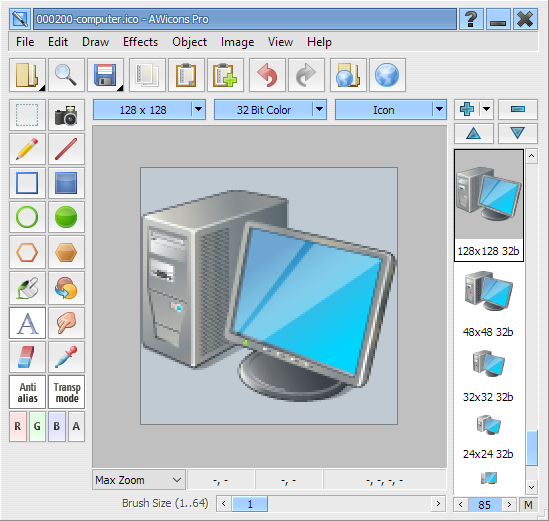
Main window
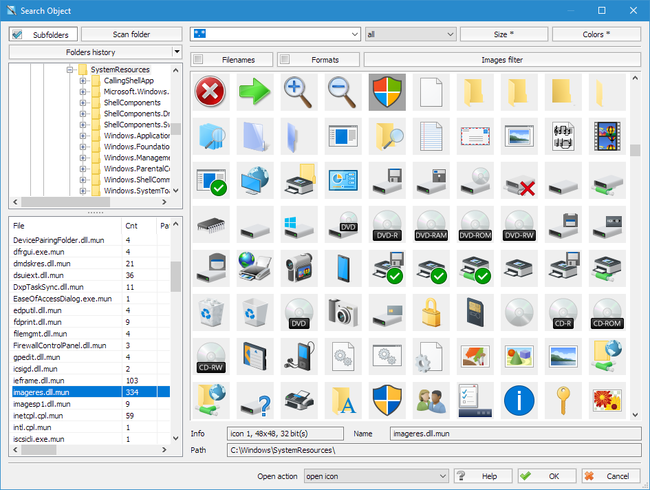
Search icon window
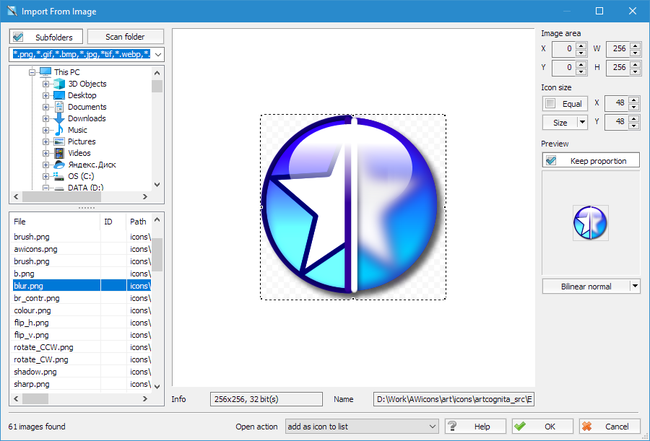
Import from image window
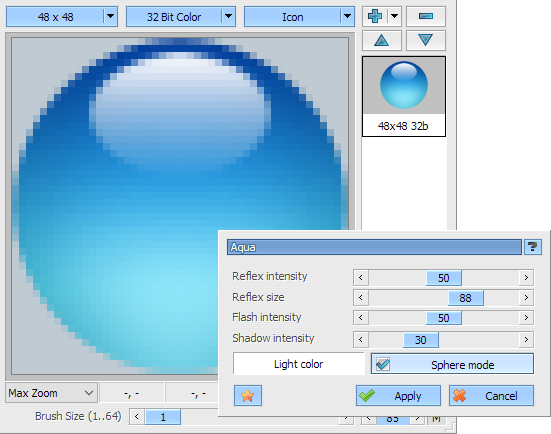
Aqua effect
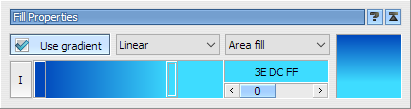
Gradient propeties
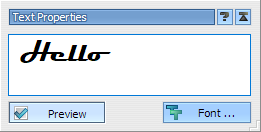
Text propeties
User Opinions
DPH:
Microsoft Visual Basic MVP:
KSoft:
Redd Wolf:
Jennifer:
Will Tobin:
I was having problems assigning icons to
applications created in Visual Basic, but this app solved that ...
Good enough, and easy to use ...
Microsoft Visual Basic MVP:
As a custom control developer, having quality icons
is essential for the all-important "first impression" when people see one
of my new controls. I love both the available features and the attractive
interface. I started with the freeware Lite version, but I assure you
I will be upgrading to the Professional model! Fantastic job!!!
KSoft:
Excellent way for creation various graphic
works, acquaintance with the program. It is possible to buy the
professional version later. Also, it is necessary to note excellent
technical support. Enjoy! :)
Redd Wolf:
I test and purchase many different software
programs for my web design company and this litle program is GREAT!
Many times I have been ready to purchase a product only to find the
customer service, support or simply answering an email is non existant
among many product sellers (a few on these downloads). I have used this
product over a year now the folks at AWicons have promptly sent me
upgrades on each new version (no charge) answered every email that
I have sent and have a great product for a great price!
... Now they just need to hire me as there Sales Rep., LOL.
Jennifer:
This did exactly what I needed and was very
easy to figure out - I needed to make a favicon.ico for my website
from a jpg. Couldn't figure out how to resize the jpg in this
program, but it was easy enough to do in Photoshop, then save as an
ico in this program, and the file works perfectly. Nice looking gui too.
Will Tobin:
This is definately the best program of it's kind. great graphics too.
Awards